

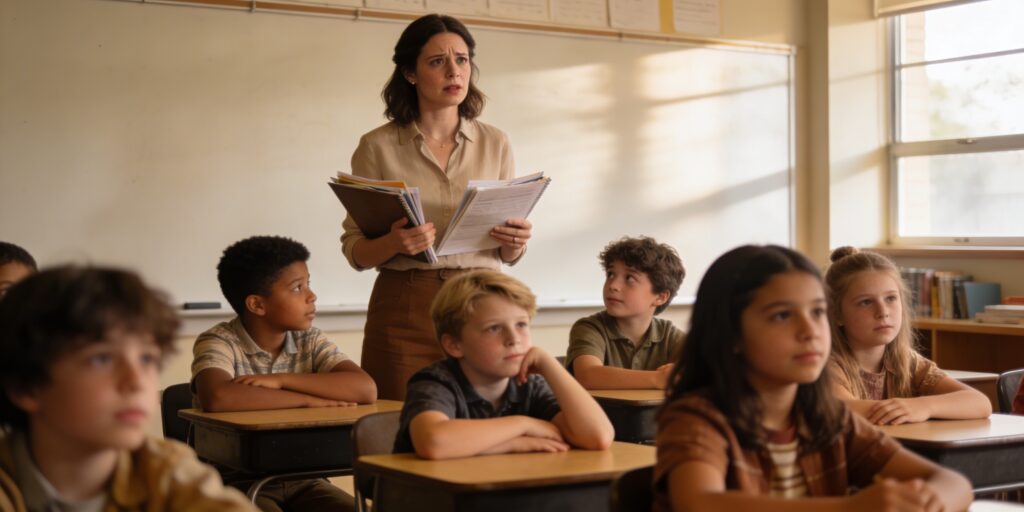
In my work with schools, I hear a common concern from 5th-grade teachers. One recently shared that her students are ‘sneakier than we think’ and just laugh when she presents serious online safety scenarios. It’s a moment that can leave you feeling helpless, wondering if anything you say is actually getting through.
If you’ve ever felt that way, you are not alone. It makes sense to feel this way. As educators, we are on the front lines of a rapidly changing digital world, and we are expected to help our students navigate challenges we never faced at their age. The good news is, help is here. There’s a better way than lectures that fall on deaf ears. This article is designed to give you practical, age-appropriate tools you can use to have these critical conversations, empowering your students to be safer and smarter online—without using scare tactics.
First, know it’s not just your classroom: The reality of 5th graders’ online lives
That feeling that the digital world is moving faster than we can keep up with? It’s not just a feeling; it’s backed by data. Your concerns are valid, and they reflect a significant shift in how our students interact with the world. The rate of cyberbullying experienced by young people has nearly doubled since 2016, now affecting 32.7% of them. This issue is particularly acute for the students in our classrooms, with reports showing that 71% of tweens have encountered some form of cyberbullying.
The challenge is amplified because our students are in these digital spaces long before the platforms officially allow them. Even though most social media sites require users to be 13 or older, a staggering two-thirds of children aged 8-12 have their own social media or messaging accounts. They are primarily on platforms like YouTube (60%), WhatsApp (29%), and TikTok (23%). This isn’t a future problem to prepare them for; it’s their current reality.
Our goal: Shifting from fear-based rules to real empowerment
When faced with these statistics, our first instinct might be to list all the dangers and deliver a stern lecture. Understandably, we want to protect our students. But as that teacher discovered, this approach often backfires with 10- and 11-year-olds. They might tune out, laugh it off, or simply get better at hiding their online activities.
The expert consensus is clear: effective education is moving away from fear and toward empowerment. Our goal is to foster “digital citizenship”—equipping students with the critical thinking skills, confidence, and resilience to navigate their digital lives safely and responsibly. Instead of giving them a list of rules to follow, we are giving them a framework for making smart decisions on their own. This approach builds their confidence and shows we trust them to handle challenges, making them more likely to come to us when they need help.
Three practical scenarios you can use tomorrow
Lectures are passive. Role-playing is active. It moves concepts from abstract warnings to concrete situations students can practice navigating. These interactive exercises, similar to those found in excellent programs like Google’s “Be Internet Awesome” curriculum, can make a real impact in your classroom.
The phishing email: Spotting the red flags
The objective here is to help students identify the common tricks used in scam messages and to reinforce the “tell a trusted adult” rule. You can pair students up for a short role-playing exercise.
One student, the scammer, reads this message aloud: “Congrats! You’ve won a brand new GameBox 720! To claim your free gaming console, click this link right now and enter your parents’ password. This offer expires in 5 minutes!”
The other student, the target, practices thinking aloud. Guide them to spot the red flags: Does it sound too good to be true? Is it trying to make me rush? Why would it need my parents’ password? Their scripted response should be: “This looks suspicious. I’m not going to click anything, and I’m going to show it to a trusted adult right away.”
This simple exercise teaches critical evaluation skills that apply to emails, pop-up ads, and direct messages.
The suspicious DM: Saying no to strangers
This scenario equips students to handle unwanted contact from strangers, especially in the gaming environments where they spend a lot of time. Set the scene—they are playing a game like Roblox, where nearly half of 8-to-12-year-olds are active.
One student, the stranger, sends this direct message: “Hey, you’re really good at this game! What’s your real name? I go to Jefferson Middle School, where do you go to school? Send me a pic so I know who I’m playing with!”
The target student practices a firm and safe response. They don’t need to be rude, just clear. A good script is: “I don’t share personal information with people I don’t know.” Then, they state the next two actions out loud: “Now I’m going to block this person, and I’m going to tell a trusted adult about this message.”
This activity normalizes saying no, reinforces the importance of privacy, and gives them a clear, immediate action plan.
Responding to cyberbullying: An active plan
The goal of this activity is to give students a concrete, memorable, and expert-backed plan for what to do when they see or experience meanness online, so they feel in control rather than helpless. One student sends a mean comment, and the other practices the four-step response.
The first student posts a comment like: “You’re so bad at this game. Everyone thinks you’re a loser.”
The target student then recites the four critical steps for what to do next:
- Don’t Respond. Explain that engaging often makes the situation worse and gives the person the attention they want.
- Block the Person. This puts the student back in control of their online space.
- Save the Evidence. Teach them how to take a screenshot. Explain that this isn’t for revenge, but to show a trusted adult exactly what happened.
- Tell a Trusted Adult. This is the most important step. Reinforce that they don’t have to handle this alone.
This four-step plan gives students agency. It is about knowing exactly what to do about it.
Making the ‘digital footprint’ an unforgettable lesson
The idea of a “digital footprint” can be too abstract for 5th graders. This simple, classic activity makes the concept tangible and unforgettable.
Announce you’re going to play the “Telephone” game. First, gather your students in a circle or a line. Next, whisper a short, silly “secret” to the first student, something like: “Mr. Davison wears a superhero cape under his clothes and eats jellybeans for breakfast.” Have each student whisper the message to the next person in line. The last student says the message they heard out loud.
Inevitably, the final message will be hilariously distorted. This is a powerful teaching moment. You can explain that this is exactly what happens online. When we post a photo, a comment, or a piece of information, we lose control of it. Other people can copy it, change it, and share it in ways we never intended. Just like the whispered secret, it spreads uncontrollably and can’t be taken back. This simple game illustrates the permanence of their online actions better than any lecture could.
The one rule that matters most: The ‘trusted adult’ script
If our students remember only one thing from these lessons, it should be this: Always tell a trusted adult. This is the safety net that catches everything else.
Our role in reinforcing this message is more critical than we might realize. Research shows that a third of children have not spoken to their parents about online safety in the past year. For many students, this means we may be the only trusted adult initiating these conversations.
We can create a classroom culture where students know they can come to us without fear of judgment or losing their devices. We can build this trust with simple, direct language:
- “If anything online ever makes you feel weird, uncomfortable, confused, or scared, my job is to help you figure it out. Your parents’ and caregivers’ job is to help you. We are always on your team.”
- “You can never get in trouble for telling a trusted adult that something is wrong. It is never too late to tell.”
By equipping students with practical skills and the unwavering knowledge that they have adults ready to support them, we can move beyond simple warnings and truly prepare them for the complexities of their digital world.
Recommended resources
For more excellent, ready-to-use classroom materials, I highly recommend exploring these resources. They can provide additional support and make your job easier.
- Google’s Be Internet Awesome is a comprehensive curriculum with games and lesson plans focused on being smart, alert, strong, kind, and brave online.
- Common Sense Education’s Digital Passport offers engaging games and videos for students in grades 3-5 that address key digital citizenship skills.
- NetSmartz Workshop, a program from the National Center for Missing & Exploited Children, provides age-appropriate videos and activities on a range of online safety topics.